# BillTracker

BillTracker is a private, self-hosted bill planning app for households and
personal finance setups. It tracks recurring bills, monthly cash buckets,
payments, due dates, categories, subscriptions, bank-synced transactions,
imports, exports, backups, and debt payoff plans from one local installation.
It runs as a Node/Express app with a React/Vite frontend and stores data in
SQLite. It is designed for people who want their bill data under their own
control instead of inside a third-party budgeting service.
Demo Server: https://t1.scheller.ltd/
Username: guest · Password: guest123
## Highlights
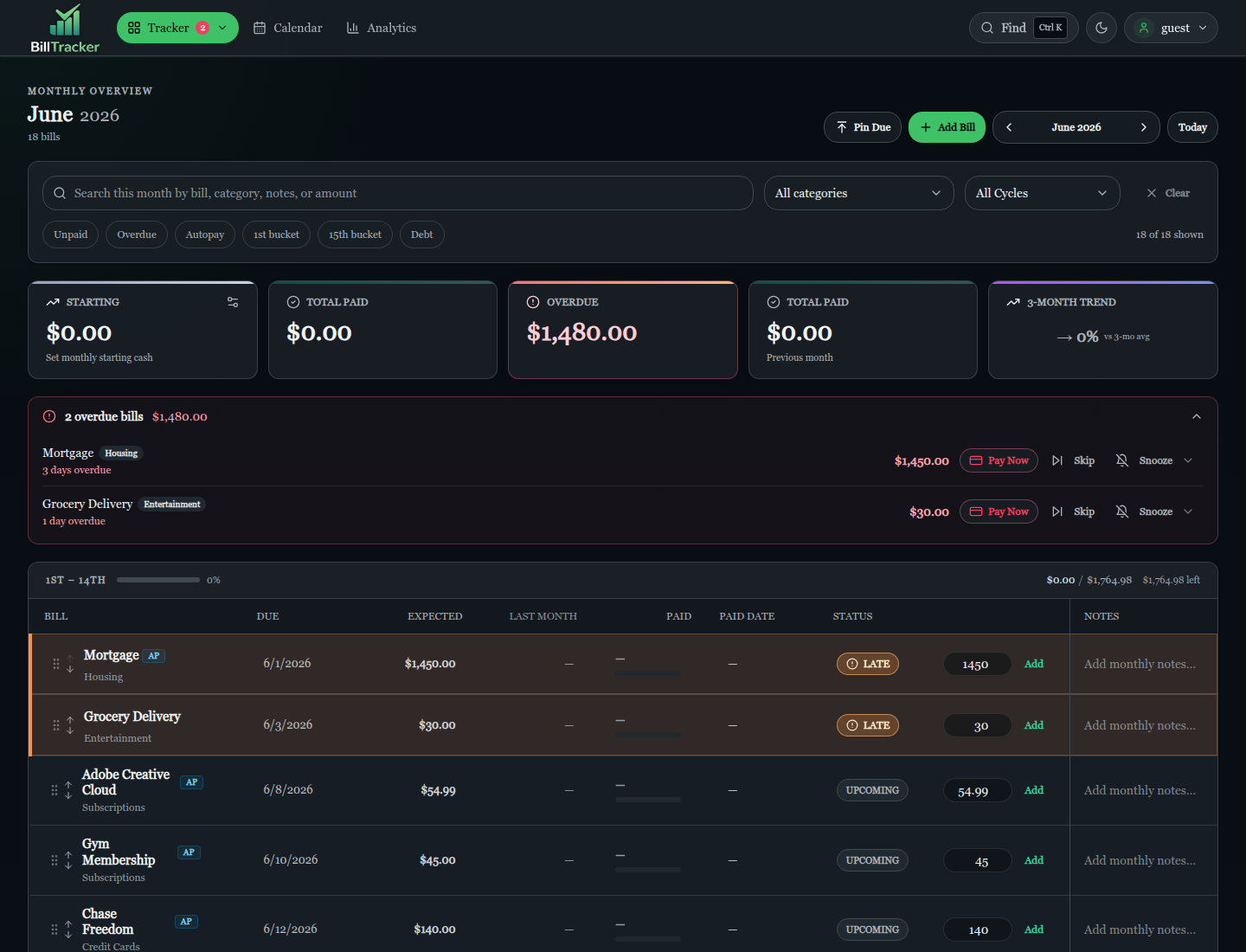
- Monthly tracker with `1st-14th` and `15th-31st` bill buckets
- Quick pay, skipped bills, monthly notes, amount overrides, and inactive bill history ranges
- Period-aware balance cards, overdue command center, pin-due sorting, and compact desktop mode
- Bills, categories, subscriptions, payment history, and custom billing schedules
- SimpleFIN read-only bank sync with manual sync, auto-sync, transaction matching, and merchant rules
- Historical payment import for merchant-rule matches, including month-crossing attribution fixes
- Advisory non-bill filtering with a large pattern catalog for noisy bank transactions
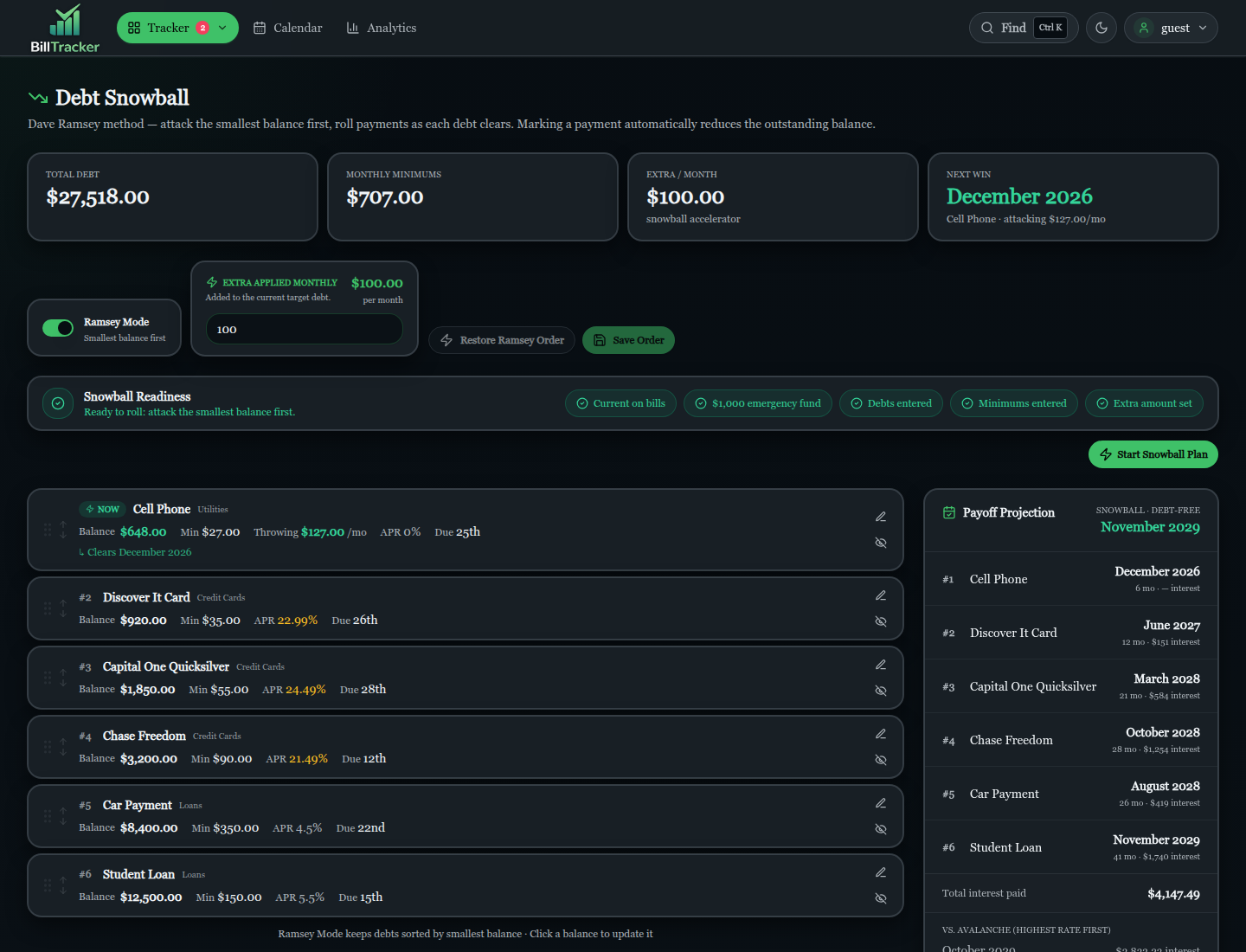
- Debt snowball and avalanche planning with APR math, projections, and amortization schedules
- Calendar, summary, analytics, payoff simulator, and printable views
- XLSX/CSV import, transaction CSV import, user SQLite export/import, Excel export, and admin backups
- Local username/password auth with optional Authentik/OIDC SSO
- Admin tools for users, backups, auth settings, bank sync, cleanup, status, and migrations
- Email and push bill reminders through SMTP, ntfy, Gotify, Discord, or Telegram
- Dark mode, PWA support, offline-ready shell, and keyboard command palette (`Ctrl+K`)
## Screenshots
Screenshots below were refreshed from the linked demo server.
## Who This Is For
BillTracker is built for self-hosters who want a practical bill dashboard
without sending personal finance data to a hosted budgeting product.
Good fit:
- Home servers, NAS boxes, small VPS deployments, Portainer, or Docker Compose
- Single-user or multi-user households
- People who split monthly cash around the 1st and 15th
- Users who want import/export and database backup control
- Authentik/OIDC users who want optional SSO
- SimpleFIN users who want read-only bank transaction syncing
- People managing recurring services, debt, transactions, and monthly bills together
Not a replacement for:
- Double-entry accounting
- Investment tracking
- Tax software
- Direct bank connectivity without SimpleFIN
Bank sync requires a SimpleFIN Bridge account. BillTracker consumes SimpleFIN
data; it does not host SimpleFIN server endpoints or connect directly to banks.
## Quick Start With Docker
The included Compose file runs the published image on host port `3030` and
stores persistent app data under `/data` inside the container.
```bash
docker compose up -d
```
Open:
```text
http://localhost:3030
```
On first start, seed an admin account with:
```yaml
environment:
INIT_ADMIN_USER: admin
INIT_ADMIN_PASS: change-this-password
```
Optional regular user seed:
```yaml
environment:
INIT_REGULAR_USER: regularuser
INIT_REGULAR_PASS: changeme123
```
Passwords must be at least 8 characters. Remove or rotate first-run seed values
after initial setup.
### Persistent Data
For Docker, keep `/data` mounted. The container defaults to:
```text
DB_PATH=/data/db/bills.db
BACKUP_PATH=/data/backups
```
Back up the mounted `/data` directory like you would any other sensitive
financial data.
### HTTPS And Cookies
Run BillTracker behind HTTPS for normal use. If TLS terminates at a reverse
proxy, forward:
```text
X-Forwarded-Proto: https
```
Recommended production posture:
```bash
HTTPS=true
COOKIE_SECURE=true
CSRF_SECURE=true
CSRF_SAME_SITE=strict
```
For plain HTTP development only:
```bash
COOKIE_SECURE=false
CSRF_SECURE=false
```
Leave `CORS_ORIGIN` unset for normal same-origin deployments. Set it only if the
frontend and backend are intentionally served from different origins.
## Node Install
Install dependencies:
```bash
npm install
```
Run the API and Vite UI for development:
```bash
npm run dev
```
Build and start production:
```bash
npm run build
npm start
```
The production server serves `dist/` and listens on `PORT`, defaulting to
`3000`.
Useful scripts:
```bash
npm run dev:api
npm run dev:ui
npm run build
npm run check
npm test
npm start
```
`npm run check` runs backend CommonJS syntax checks and a Vite production build.
`npm test` runs the Node test suite in `tests/`.
## Product Map
### Tracker
The Tracker is the main monthly view. It shows active bills for the selected
month, grouped into `1st-14th` and `15th-31st` buckets.
You can record payments, quick-pay bills, skip a bill for the month, add monthly
notes, override monthly amounts, reorder bills, and move between months. Summary
cards show starting cash or bank-tracked balance, total paid, active-period
balance, overdue amount, previous-month paid, and trend.
Compact tracker mode, available on wide screens, adds side-by-side buckets and
quick subscription/autopay/2FA badges.
### Bills And Categories
Bills store the recurring source data:
- Name, expected amount, due day, category, and active state
- Monthly, weekly, biweekly, quarterly, annual, and custom billing schedules
- Autopay status, subscription metadata, two-factor badges, and display preferences
- Monthly state such as skip flags, notes, and actual amount overrides
- Optional debt fields such as balance, APR, minimum payment, and snowball flags
- History ranges for inactive or past-only bills
Categories support custom colors, icons, descriptions, ordering, restore, and
bill usage previews.
### Bank Sync And Data Tools
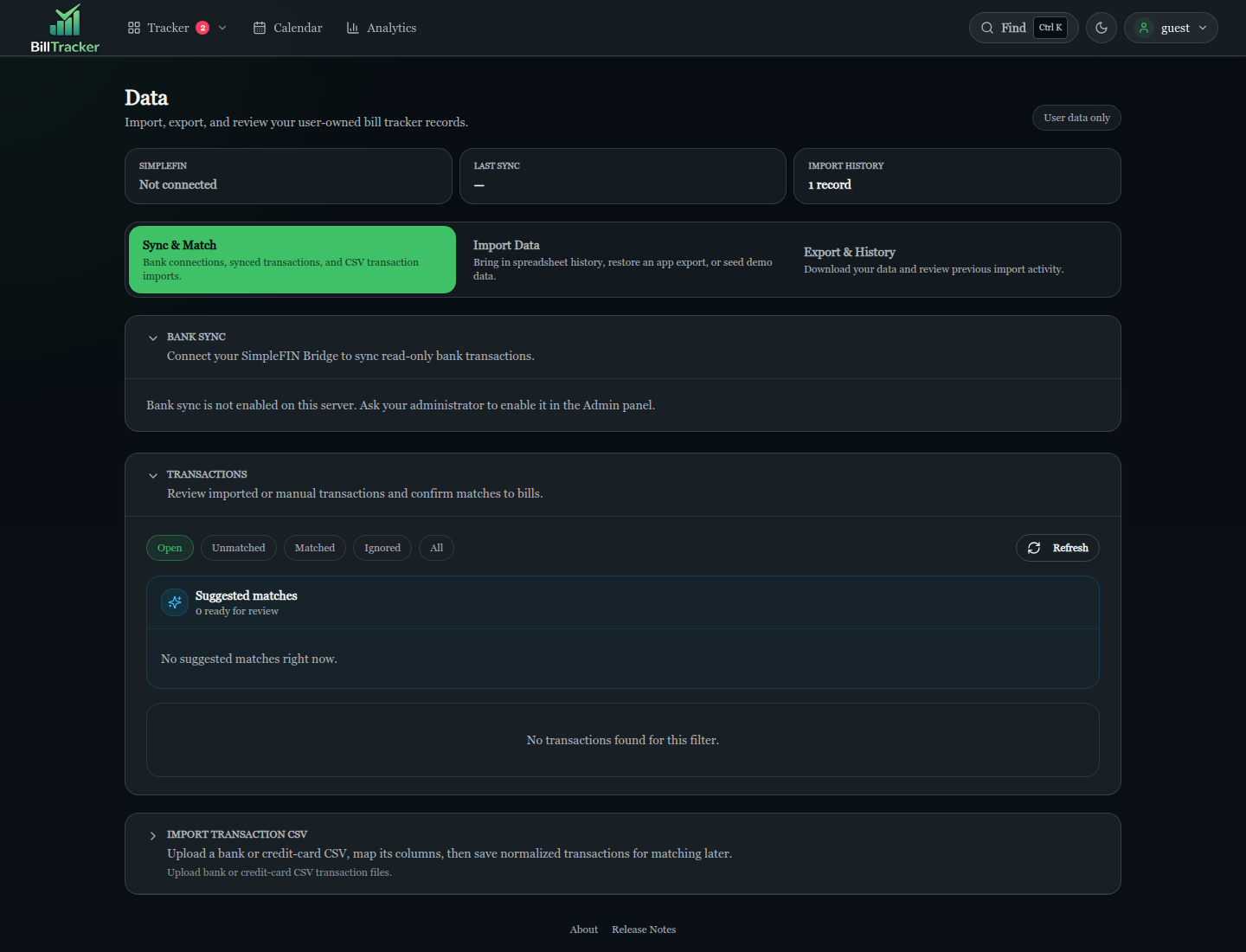
SimpleFIN integration provides read-only bank syncing:
- User-pasted SimpleFIN Bridge setup from the Data page
- Manual "Sync Now" and background auto-sync
- 90-day backfill support
- Bank account selection for tracker balance projections
- Merchant rules for matching transactions to bills
- Historical import prompts when a new merchant rule finds prior payments
- Late-attribution prompts or auto-fixes for payments that post just after month end
The Data page also handles:
- XLSX and CSV spreadsheet import with preview
- Transaction CSV import and column mapping
- Transaction review, matching, ignoring, and status filters
- User SQLite export/import
- Excel workbook export
- Import history with detailed stats
- Demo data seeding for local trials
### Subscriptions
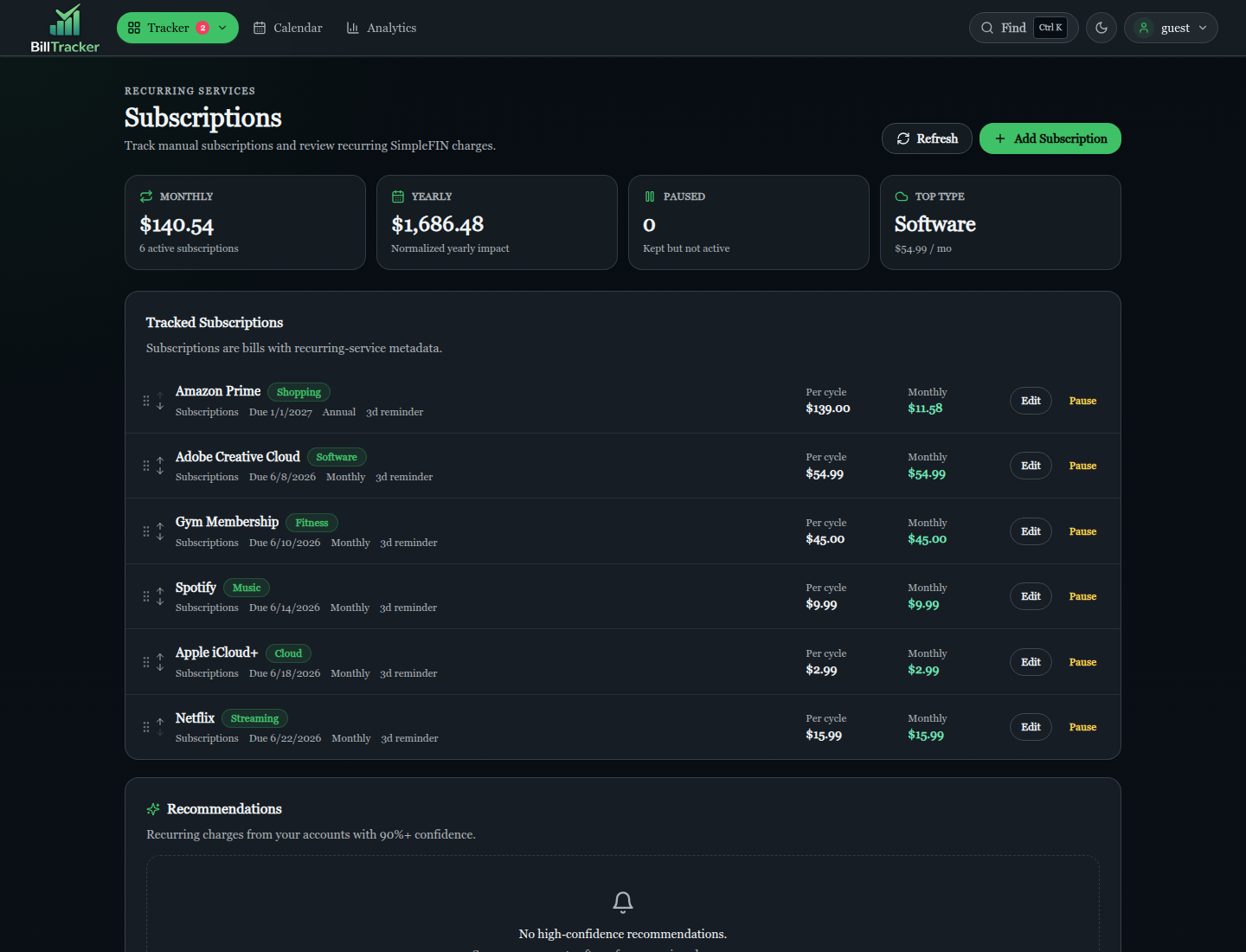
Subscriptions are tracked as bill-backed recurring services. The page shows
monthly and yearly impact, paused subscriptions, per-cycle amounts, subscription
categories, and recommendations from recurring bank charges.
### Snowball And Payoff
The Snowball page focuses on debt payoff planning:
- Dave Ramsey-style snowball mode and avalanche comparison
- Extra monthly payment settings
- Minimum-only baseline vs. accelerated payoff projections
- APR snapshots, amortization schedules, and payoff dates
- Drag ordering, exclusion flags, readiness checks, and saved plans
The Payoff simulator can model a tracked debt or a custom outside debt without
creating a new bill.
### Calendar, Summary, And Analytics
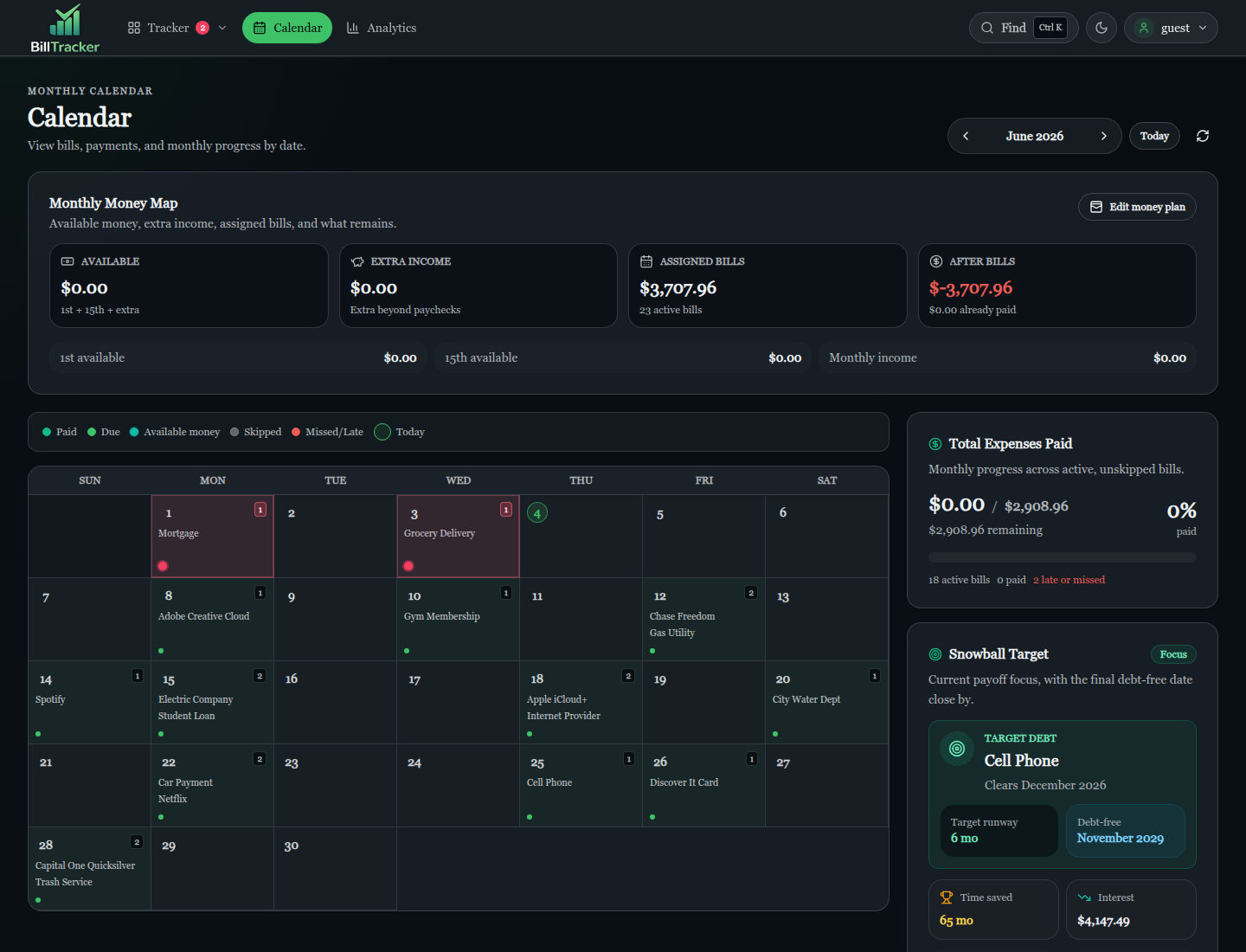
Calendar shows bill due dates, paid dates, skipped bills, month progress, money
markers, cash flow projections, and links back into Tracker or Snowball.
Summary handles income, starting amounts, planned expenses, paid status, monthly
planning, reordering, and print-friendly output.
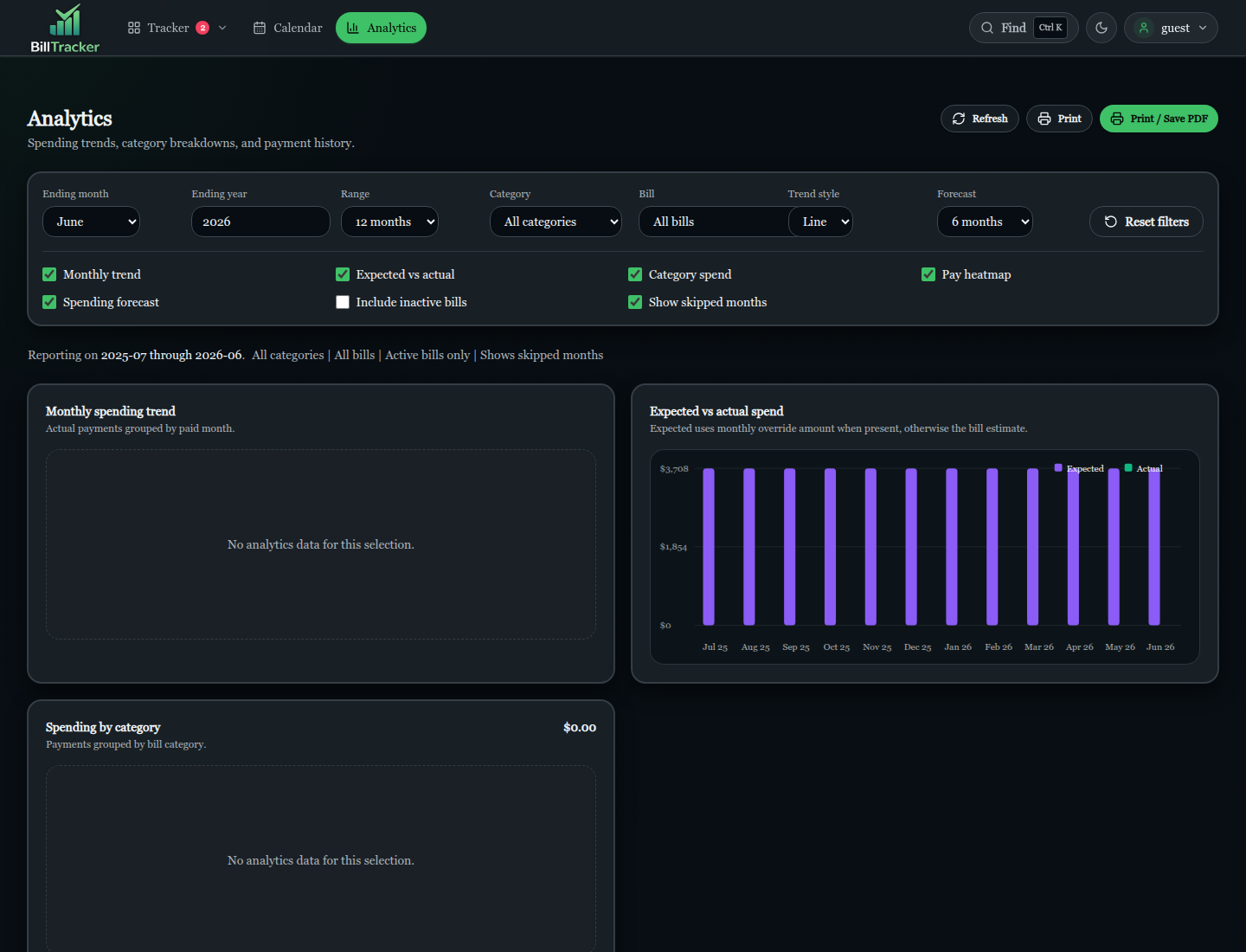
Analytics provides spending trends, expected vs. actual views, category
breakdowns, pay-on-time heatmaps, forecasts, filters, and print output.
### Admin And Status
Admin tools include user management, local/OIDC auth settings, SimpleFIN server
enablement, backups, restore, cleanup, notification settings, status checks, and
database migration operations.
The Status page surfaces application, database, runtime, daily worker,
SimpleFIN, notifications, backups, maintenance, tracker, statistics, server
clock, and recent-error health.
### Background Workers
The daily worker handles:
- Autopay marking
- Bill due notifications
- Session cleanup
- Import history pruning
- Backup scheduling
- Bank sync scheduling
Worker status and recent activity are visible from Admin/Status.
## Privacy Model
BillTracker is intended to run privately in your own environment.
- Bill data stays in your SQLite database.
- The app does not use third-party analytics, advertising, or telemetry.
- Bank sync is optional and goes through the user's SimpleFIN Bridge account.
- Login device details shown in Profile are visible to that user in the app UI.
- Optional update checks are for software update availability, not bill-data collection.
Admins can manage users, reset passwords, configure authentication, and manage
backups, but normal bill data is scoped to the signed-in user.
## Authentication
BillTracker supports local username/password login by default. Admins can create
users, reset passwords, promote or demote users, and activate or deactivate
accounts.
Optional Authentik/OIDC login can be enabled from Admin. OIDC uses authorization
code flow with PKCE, state and nonce validation, and `openid-client` token
validation.
Important behavior:
- Admin role is never granted by default through OIDC.
- OIDC admin access requires a configured admin group.
- Local login cannot be disabled unless OIDC is configured, enabled, and mapped to an admin group.
- The default seeded admin is restricted to admin routes and cannot access personal tracker data.
- OIDC provider name, issuer URL, client ID/secret, redirect URI, scopes, and admin group are configurable via Admin settings with environment variable fallbacks.
See [Authentik-Integration.md](docs/Authentik-Integration.md) for setup details.
## Configuration
Most settings are configured in the web UI:
- User settings: Settings and Profile
- Server settings: Admin
- Authentication settings: Admin
- Notification settings: Admin and Profile
- Backup and cleanup settings: Admin
Common environment variables:
```bash
PORT=3000
NODE_ENV=production
DB_PATH=/path/to/bills.db
BACKUP_PATH=/path/to/backups
INIT_ADMIN_USER=admin
INIT_ADMIN_PASS=change-this-password
INIT_REGULAR_USER=regularuser
INIT_REGULAR_PASS=changeme123
HTTPS=true
COOKIE_SECURE=true
CORS_ORIGIN=https://bills.example.com
CSRF_HTTP_ONLY=true
CSRF_SAME_SITE=strict
CSRF_SECURE=true
CSRF_COOKIE_NAME=bt_csrf_token
DATA_IMPORT_ENABLED=true
```
Worker settings:
```bash
WORKER_INTERVAL_MS=86400000
WORKER_AUTOPAY_ENABLED=true
WORKER_NOTIFICATIONS_ENABLED=true
WORKER_SESSION_CLEANUP_ENABLED=true
WORKER_IMPORT_CLEANUP_ENABLED=true
```
OIDC fallback environment variables are used when matching Admin database
settings are blank:
```bash
OIDC_PROVIDER_NAME=authentik
OIDC_ISSUER_URL=https://auth.example.com/application/o/bills/.well-known/openid-configuration
OIDC_CLIENT_ID=
OIDC_CLIENT_SECRET=
OIDC_TOKEN_AUTH_METHOD=client_secret_basic
OIDC_REDIRECT_URI=https://bills.example.com/api/auth/oidc/callback
OIDC_SCOPES="openid email profile groups"
OIDC_ADMIN_GROUP=bill-tracker-admins
OIDC_AUTO_PROVISION=true
```
Database-backed Admin settings take precedence over environment fallback values.
Secrets such as OIDC client secrets, SMTP passwords, push tokens, and SimpleFIN
tokens are encrypted at rest. The app generates and stores its encryption key in
the database on first use; no separate encryption-key environment variable is
required.
## Security Notes
- Auth is required for user data routes.
- Admin routes require an admin session.
- User-owned bill, category, payment, import, export, transaction, and settings routes derive ownership from the authenticated session.
- CSRF uses a double-submit cookie pattern. The SPA fetches `/api/auth/csrf-token`, stores the token in memory, and sends it as `x-csrf-token` on mutating requests.
- The CSRF cookie defaults to `HttpOnly`; JavaScript does not need to read it through `document.cookie`.
- Session cookies are HTTP-only and SameSite-protected.
- Password changes rotate the current session and invalidate other sessions.
- Rate limits protect local login, password changes, imports, exports, admin actions, backup actions, and OIDC routes.
- Security headers include CSP nonces and standard hardening headers.
- Audit logging records security-sensitive events such as login, logout, password changes, role changes, CSRF failures, and migration operations.
Backups and exports can contain sensitive financial data. The app writes SQLite
backup files with restrictive permissions, but backup/export encryption is not
implemented. Protect downloaded files and mounted volumes yourself.
## Upgrading
For a Node install:
```bash
git pull
npm install
npm run build
npm start
```
Restart your process manager after building.
For Docker:
```bash
docker compose pull
docker compose up -d
```
If you build locally, rebuild the image and recreate the container.
The app initializes the schema and runs additive migrations on startup. The
Docker entrypoint also runs `scripts/migrate-db.js` before starting unless:
```bash
RUN_DB_MIGRATIONS=false
```
## Project Structure
```text
bill-tracker/
|-- client/ # React app, routes, pages, components, hooks, and API client
| |-- components/ # Shared UI, layout, admin, data, tracker, and snowball components
| |-- contexts/ # React contexts
| |-- hooks/ # Custom React hooks
| |-- lib/ # Client utilities
| `-- pages/ # Route pages
|-- db/ # SQLite schema, migrations, and database helpers
|-- docs/ # Technical references and README screenshots
|-- legacy/ # Legacy static UI retained for reference
|-- middleware/ # Auth, CSRF, rate limit, security, and error middleware
|-- routes/ # Express API route handlers
|-- scripts/ # Utility, migration, deployment, and smoke-test scripts
|-- services/ # Business logic for bills, sync, auth, imports, status, workers, etc.
|-- workers/ # Background workers
|-- dist/ # Generated production build
|-- Dockerfile
|-- docker-compose.yml
|-- docker-entrypoint.sh
|-- server.js
`-- vite.config.mjs
```
## Documentation
- [HISTORY.md](HISTORY.md): release history
- [Authentik-Integration.md](docs/Authentik-Integration.md): Authentik/OIDC setup
- [SIMPLEFIN_CONSUMER_GUARDRAILS.md](docs/SIMPLEFIN_CONSUMER_GUARDRAILS.md): SimpleFIN consumer boundaries
## Known Limitations
- Admin backups and user exports are not encrypted by the app.
- Bank sync requires SimpleFIN; direct bank connections are not supported.
- OIDC single logout is not implemented; users must log out from each device separately.
- Rate limiting is in-memory, so counters reset on restart and are not shared across multiple app instances.
- Multiple OIDC providers are not currently supported.
- The XLSX parser dependency has known upstream security advisories; import routes are authenticated, file-size limited, and parse spreadsheet cells as data.
## License
`package.json` declares the project license as ISC. No separate `LICENSE` file is
included in this repository.