OpenClaw Mission Control is the centralized operations and governance platform for running OpenClaw across teams and organizations, with unified visibility, approval controls, and gateway-aware orchestration.
It gives operators a single interface for work orchestration, agent and gateway management, approval-driven governance, and API-backed automation.
<imgwidth="1896"height="869"alt="Mission Control dashboard"src="https://github.com/user-attachments/assets/49a3c823-6aaf-4c56-8328-fb1485ee940f"/>
This clones the repository into `./openclaw-mission-control` if no local checkout is found in your current directory.
If you already cloned the repo:
```bash
./install.sh
```
The installer is interactive and will:
- Ask for deployment mode (`docker` or `local`).
- Install missing system dependencies when possible.
- Generate and configure environment files.
- Bootstrap and start the selected deployment mode.
Installer support matrix: [`docs/installer-support.md`](./docs/installer-support.md)
### Option B: Manual setup
### Prerequisites
- **Supported platforms**: Linux and macOS. On macOS, Docker mode requires [Docker Desktop](https://www.docker.com/products/docker-desktop/); local mode requires [Homebrew](https://brew.sh) and Node.js 22+.
- Docker Engine
- Docker Compose v2 (`docker compose`)
### 1. Configure environment
```bash
cp .env.example .env
```
Before startup:
- Set `LOCAL_AUTH_TOKEN` to a non-placeholder value (minimum 50 characters) when `AUTH_MODE=local`.
- Ensure `BASE_URL` matches the public backend origin if you are not using `http://localhost:8000`.
This project is licensed under the MIT License. See [`LICENSE`](./LICENSE).
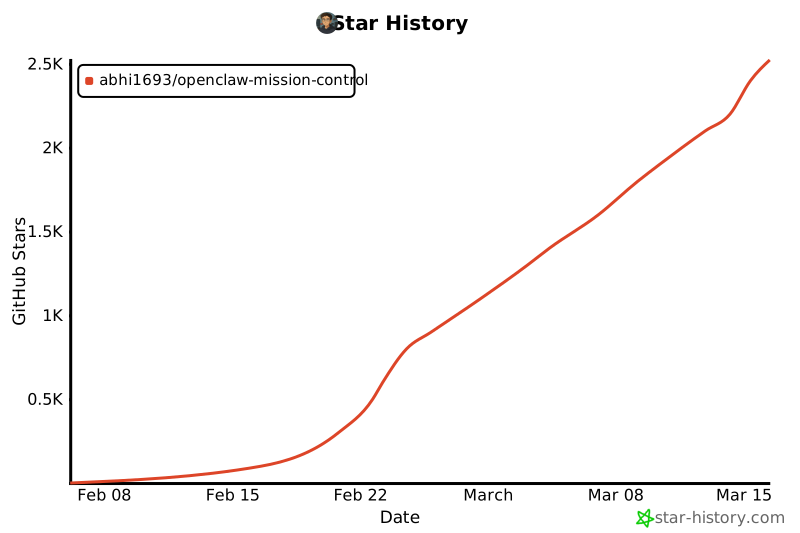
## Star History
[](https://www.star-history.com/#abhi1693/openclaw-mission-control&type=date&legend=top-left)
